

Description
KBFox adds an AI-powered chatbot to your WordPress site, trained on your own content. Upload your documents, configure your preferred AI provider, and your visitors get accurate answers drawn directly from your knowledge base.
Chatbot Widget
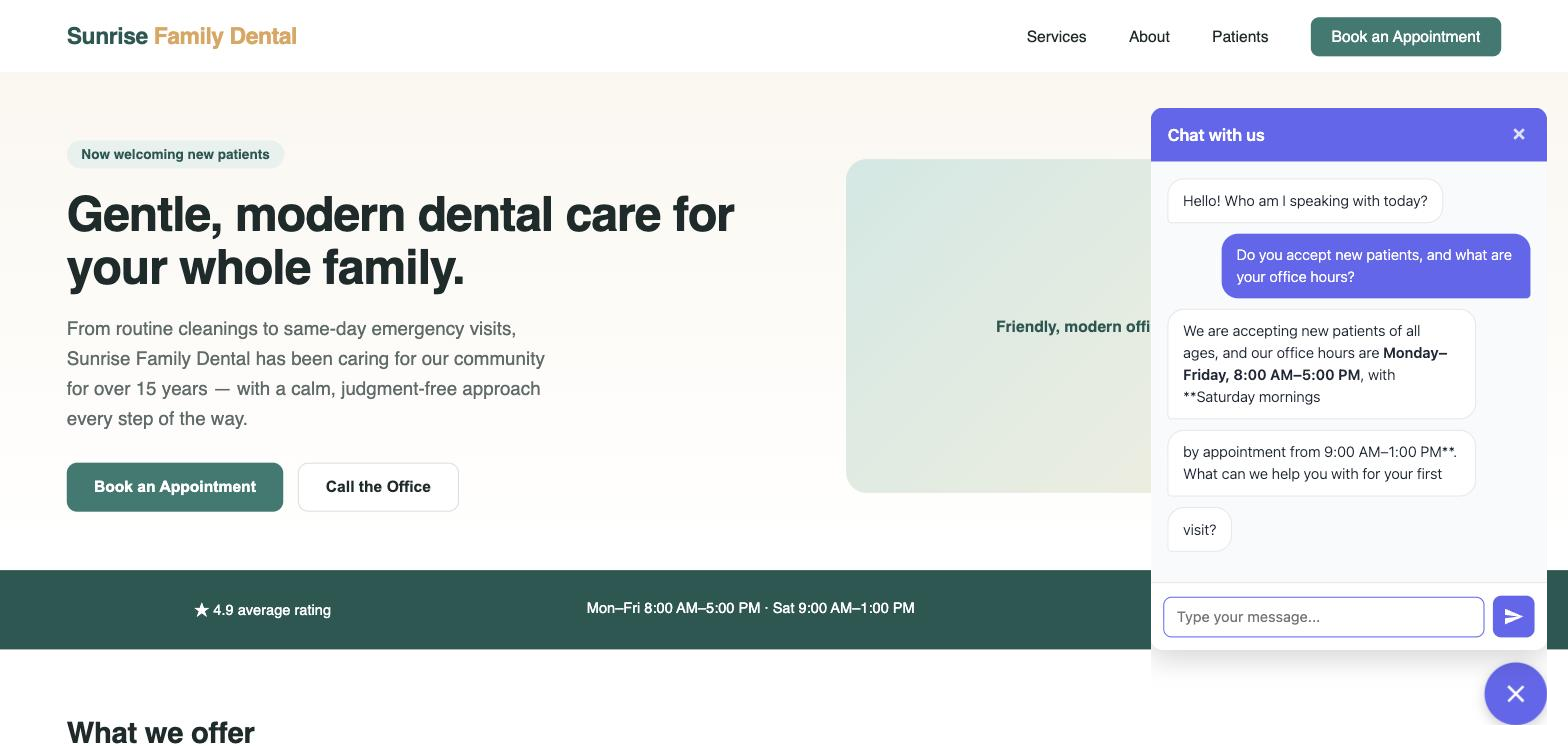
A floating chat widget appears on the front end of your site. Visitors can ask questions and receive answers grounded in your uploaded documents. The widget can also be embedded anywhere using the [grayfox_chat] shortcode. No registration required for visitors.
Knowledge Base (RAG)
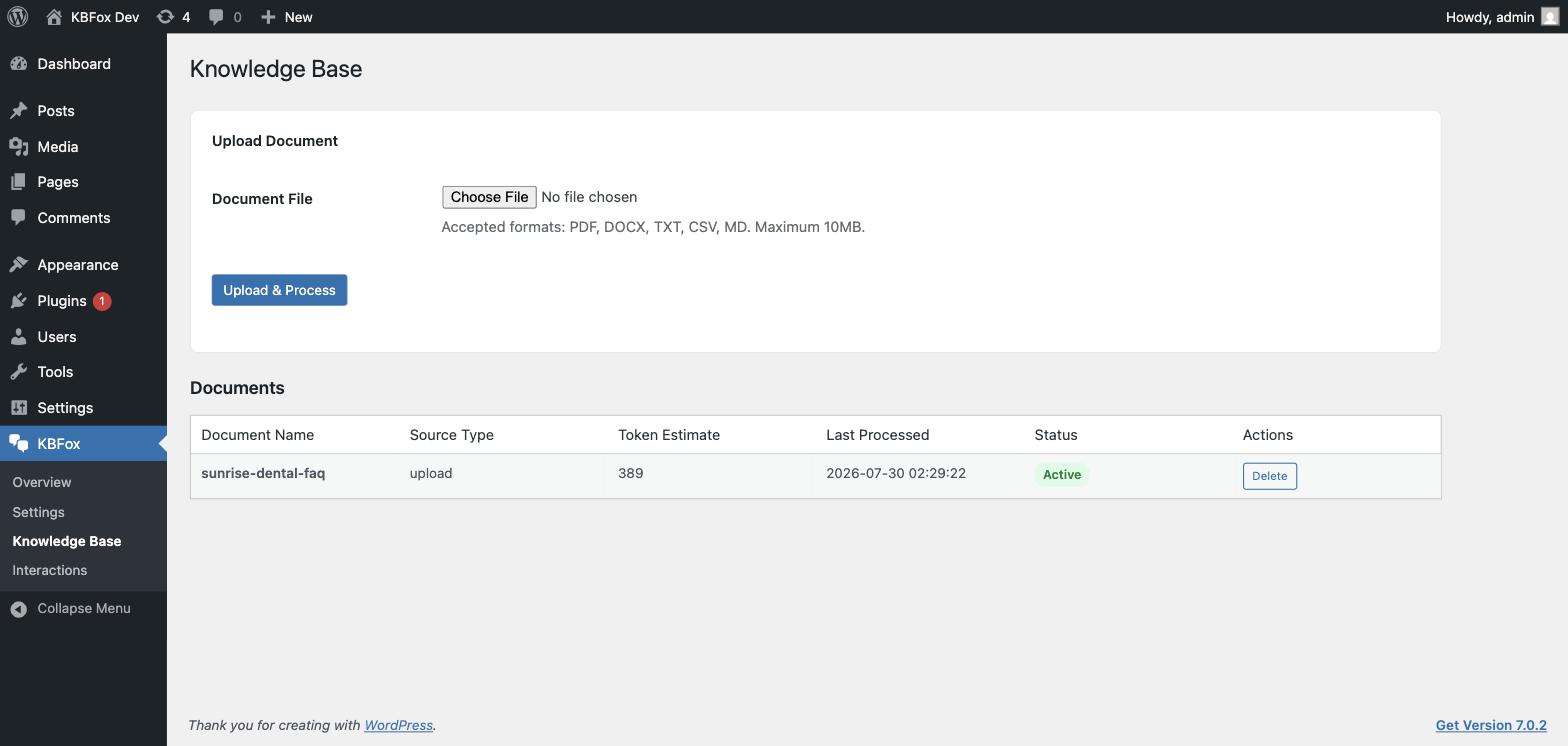
Upload PDFs, Word documents (.docx), plain text, CSV, and Markdown files. GrayFox summarizes each document and stores the content in a local database. When a visitor asks a question, the plugin retrieves the most relevant sections and passes them to your configured LLM — no content leaves your server until that retrieval step.
For best performance, 15–20 documents is the recommended knowledge base size.
Supported LLM Providers
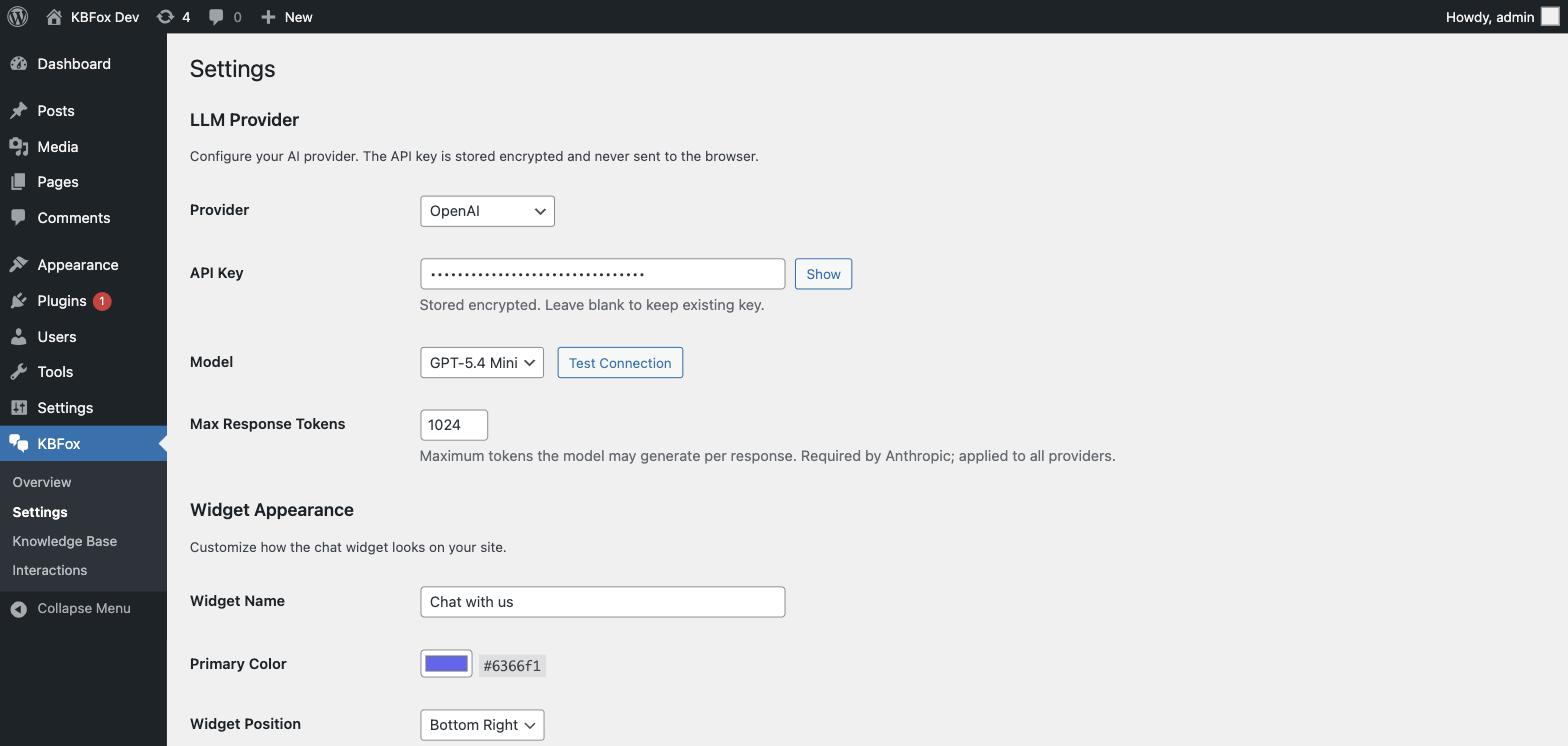
OpenAI, Anthropic (Claude), Google Gemini, and Groq. You supply your own API key — GrayFox never proxies your requests through its own servers.
Privacy
Visitor chat messages and captured contact details are stored in your WordPress database. Messages are sent to the LLM provider you configure. See the Privacy Policy section for full details.
External Services
This plugin connects to external services as described below. All connections are initiated by the site administrator’s configuration — no external calls are made on plugin activation.
LLM API (user-configured)
Chat responses and document summarization are sent to the LLM API provider you choose in Settings. Visitor messages and your knowledge base content are included in these requests.
— OpenAI: https://openai.com — Terms: https://openai.com/policies/terms-of-use — Privacy: https://openai.com/policies/privacy-policy
— Anthropic: https://anthropic.com — Terms: https://www.anthropic.com/legal/consumer-terms — Privacy: https://www.anthropic.com/legal/privacy
— Google Gemini: https://ai.google.dev — Terms: https://ai.google.dev/gemini-api/terms — Privacy: https://policies.google.com/privacy
— Groq: https://groq.com — Terms: https://groq.com/terms-of-use/ — Privacy: https://groq.com/privacy-policy/
Third Party Libraries
The following libraries are distributed with this plugin:
- Action Scheduler 4.0.0 by WooCommerce — GNU General Public License v3.0 — https://github.com/woocommerce/action-scheduler
- smalot/pdfparser 2.x — GNU Lesser General Public License 3.0 — https://github.com/smalot/pdfparser
- Symfony Polyfill mbstring — MIT License — https://github.com/symfony/polyfill
Privacy Policy
KBFox collects and stores the following data from site visitors who use the chat widget:
- Visitor messages — stored in the
wp_grayfox_messagestable in your WordPress database. - Session ID — a random identifier used to group messages into a conversation, stored in the visitor’s browser session.
- Visitor name and email — stored in
wp_grayfox_conversationsonly if the visitor voluntarily provides this information during a chat. - IP address (hashed) — used for rate limiting only; stored as a transient, not written to a permanent table.
Public KB API requests (if enabled): When the Public KB API is enabled, each inbound request is logged to the wp_grayfox_api_log table. The log includes the caller’s IP address, country code (resolved via Cloudflare header if present), user agent, query parameter, response size, and response time. This data is used solely for usage analytics visible in the GrayFox admin dashboard.
What is sent to external services: Visitor messages and relevant sections from your knowledge base are sent to the LLM API provider you configure in Settings (OpenAI, Anthropic, Google Gemini, or Groq). No visitor data is sent to GrayFox servers.
Data retention: Conversation data remains in your database until deleted. You can delete individual conversations from GrayFox > Conversations, or drop all tables by uninstalling the plugin.
Site administrators should disclose chatbot data collection to visitors in their site’s own privacy policy.
Source Code
This plugin’s JavaScript source files are minified in the distributed zip. The full source code is available at:
https://github.com/breinosa-star/wpfox-assistant-plugin
Screenshots
Installation
- Upload the plugin zip file through Plugins > Add New > Upload Plugin, or extract the folder to
wp-content/plugins/. - Activate the plugin through the Plugins menu.
- Go to GrayFox > Settings and enter your LLM API key.
- Upload documents under GrayFox > Knowledge Base.
- The chat widget is enabled by default. Visit your site front end to see it.
Public KB API
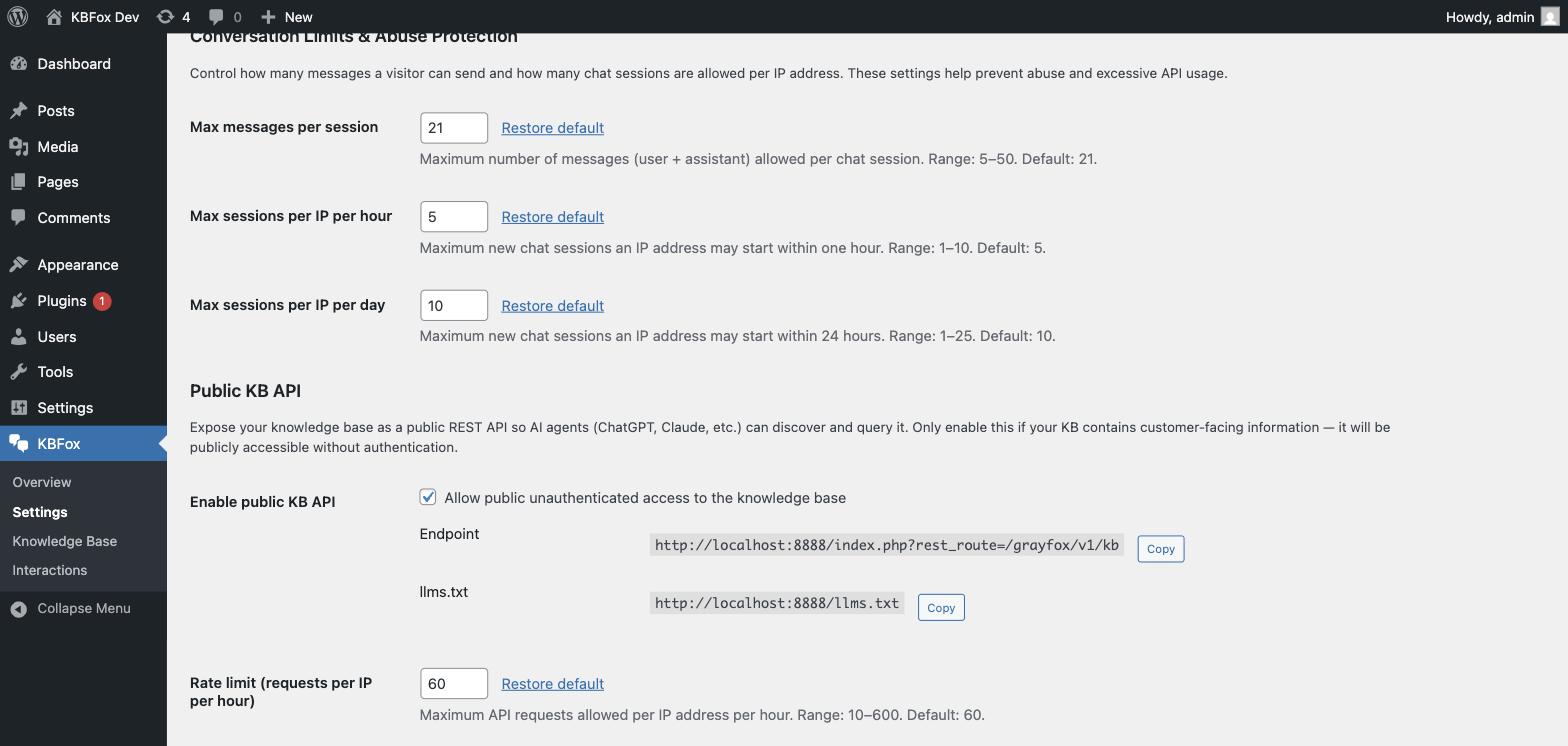
Optionally expose your knowledge base as a public REST API so AI agents (ChatGPT, Claude, and others) can discover and query it directly. When enabled, the plugin serves two public URLs:
yoursite.com/wp-json/grayfox/v1/kb— returns your active knowledge base as JSON. Accepts an optionalqueryparameter to filter by topic.yoursite.com/llms.txt— a machine-readable file that tells AI agents your site has a queryable knowledge base and how to reach it.
Enable this under GrayFox > Settings > Public KB API. The endpoint and llms.txt URL are displayed there with copy buttons once enabled.
This feature is intended for customer-facing knowledge bases. If your KB contains internal or private information, do not enable it.
FAQ
-
Do I need to register or create an account?
-
No. The plugin works without any account or registration.
-
Which LLM providers are supported?
-
OpenAI, Anthropic (Claude), Google Gemini, and Groq. You configure the provider, model, and API key in GrayFox > Settings.
-
Does the plugin work without an API key?
-
The plugin activates and the admin panel is accessible without an API key. AI-powered features (chatbot responses, document summarization) require a valid API key from your chosen provider.
-
How many documents can I add to the Knowledge Base?
-
There is no hard limit. For best retrieval performance, 15–20 focused documents is recommended.
-
Where is visitor data stored?
-
All data is stored in your WordPress database in tables prefixed with
wp_grayfox_. Nothing is sent to GrayFox servers. Visitor messages are sent to the LLM API provider you configure. -
Can I use the chatbot without the floating widget?
-
Yes. Use the
[grayfox_chat]shortcode to embed the chatbot inline on any page or post.
Reviews
There are no reviews for this plugin.
Contributors & Developers
“KBFox” is open source software. The following people have contributed to this plugin.
Contributors
Translate “KBFox” into your language.
Interested in development?
Browse the code, check out the SVN repository, or subscribe to the development log by RSS.
Changelog
1.0.0
- Initial release.