
Description
Filter posts or custom post types by custom taxonomy / category without page reload with different pagination types. Create different posts grids. Plugin allows to solve a variety of tasks for displaying posts on site pages. It is possible to develop custom filter and grid layouts for posts, which makes the plugin versatile.
Custom Post Type & Taxonomies Support
The plugin supports custom post types. You can filter custom post types with the AJAX filter. You can select specific custom taxonomies and their terms to showcase. If you need to create custom filter bar or custom post card, you can use the filters which will allow you to create your templates. You can find more details here.
Plugin Features
The plugin provides the following functionality:
— Selecting one or more post types to display different posts in a grid.
— Sorting taxonomies and terms.
— Installation of different types of pagination (Numeric, Load more, Scroll infinity).
— Choice of different templates for filters and post cards.
— Separating components (Filter Layout, Search Bar, Sort Panel): using shortcodes anywhere on the page.
— Sorting posts on the frontend.
— Manual sorting of terms.
— Creating custom queries (WP Query)
— Fine tuning of each term (background, color, icons, etc.).
— Adding featured posts to the post grid.
— View post content in a popup.
— Editing terms: adding icons and customizing them.
— Choose icon for preloader.
— Default Term.
— Setting up a grid of posts.
— Customization of the color palette.
— Adding a post search bar.
— Typography customization.
— Ability to develop and customize filter and post templates.
— Flexible filter management via Javascript API.
— JS hooks. Ability to manage asynchronous filter operations.
— Support Masonry Layout.
— Convenient API for interacting and managing post filtering.
— Export / Import settings.
Video
Screenshots

Individual Setting Filter 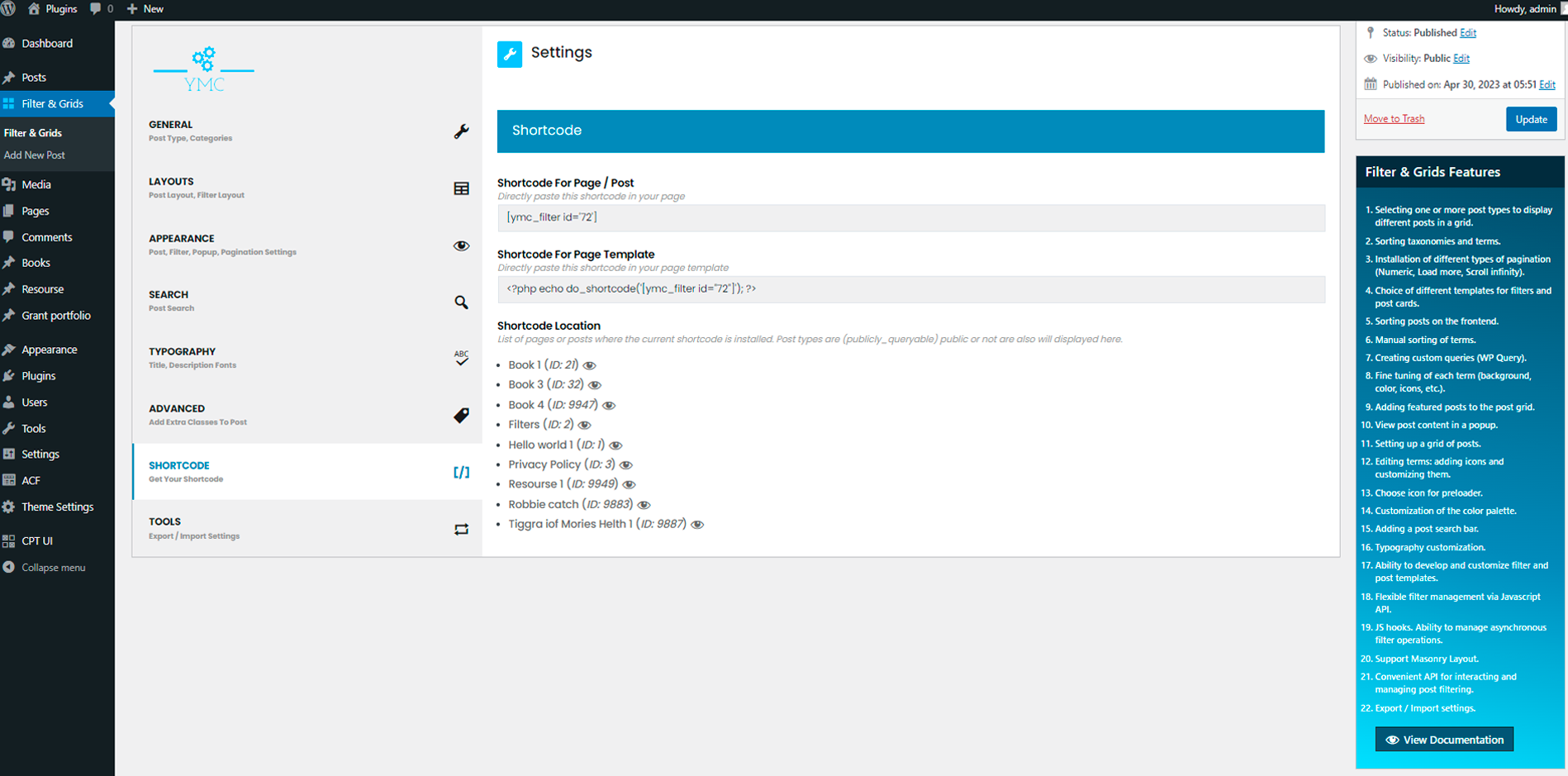
Use Shortcode Filter with search filed 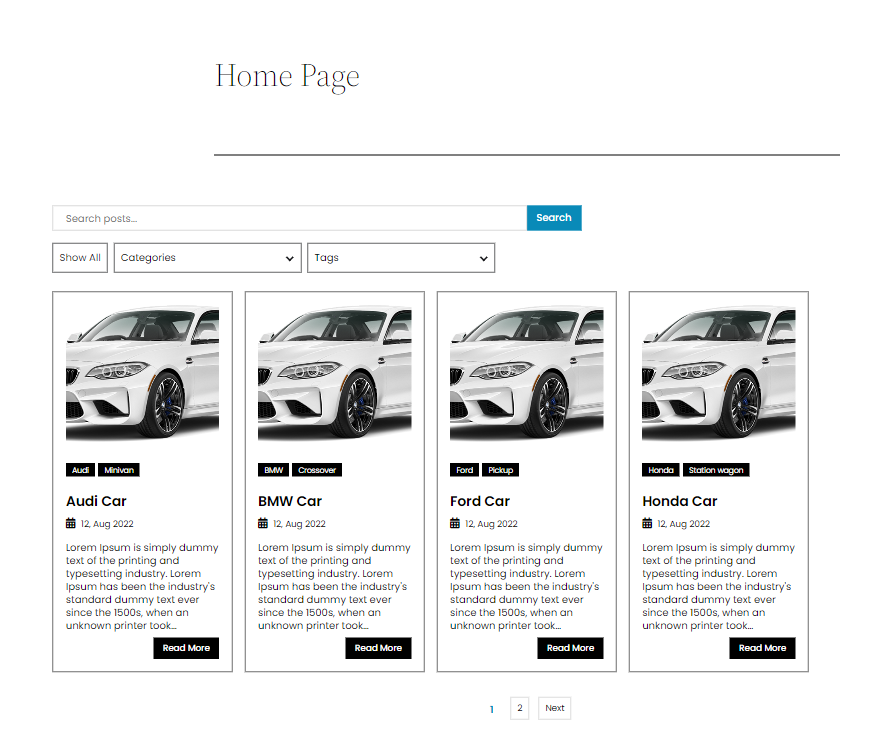
Display filter on the page 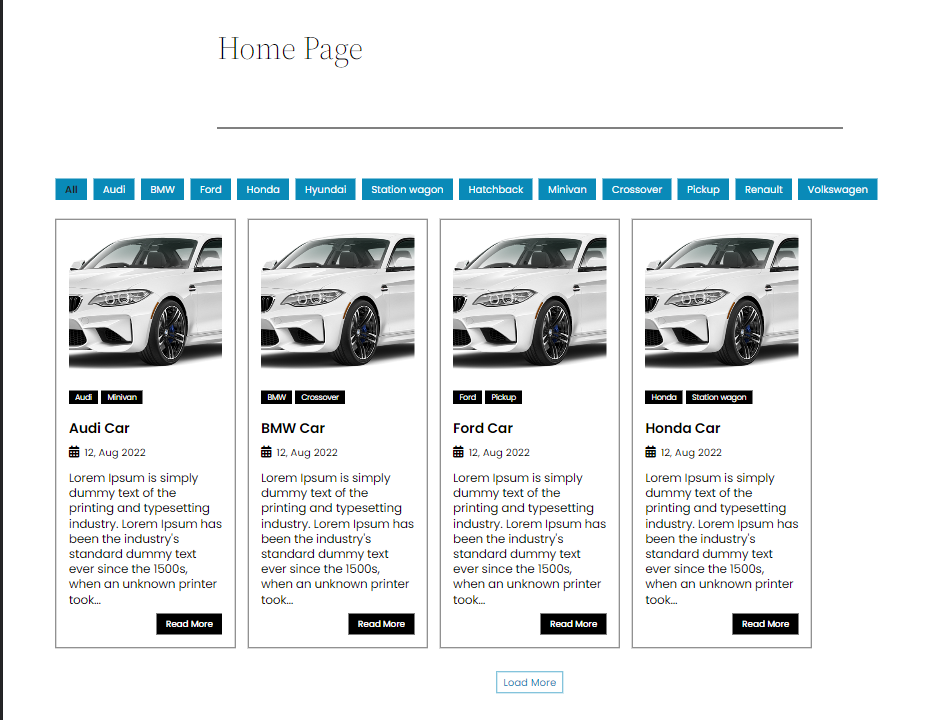
Example work filter 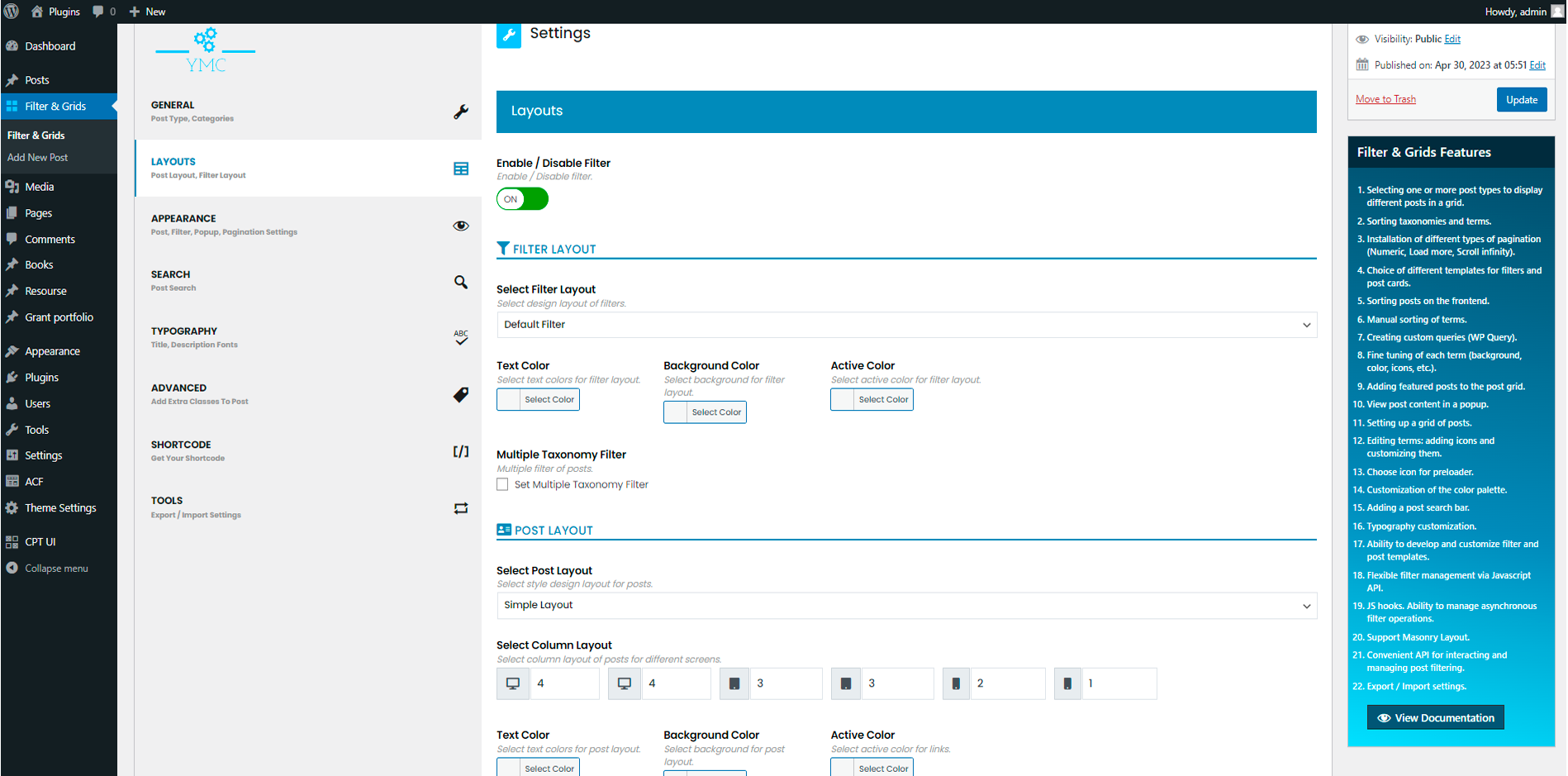
Installation
- Activate Plugin or upload the entire ‘ymc-smart-filters’ folder to the ‘/wp-content/plugins/’ directory.
- Add new YMC Smart Filter
- Copy YMC Smart Filter shortcode and paste to any page or post
- Set setting for each post
FAQ
-
Is Filter & Grids free?
-
Yes, Filter & Grids is a free WordPress plugin.
-
Where can I find the Documentation for the plugin?
-
Detailed information can be found on GitHub at this link.
Reviews


Contributors & Developers
“Filter & Grids” is open source software. The following people have contributed to this plugin.
Contributors

Translate “Filter & Grids” into your language.
Interested in development?
Browse the code, check out the SVN repository, or subscribe to the development log by RSS.
Changelog
2.8.25
Added Animation Type Popup as Slide
2.8.24
Added Search by exact phrase option.
2.8.23
Changed the interface in the admin panel.
2.8.20
Added internal interface for managing filter elements.
2.8.19
Added Custom Extra Filter Layout.
2.8.18
Added shortcodes for displaying components: Filter, Search and Sort.
2.8.15
Added Default Term.
2.8.13
Fixed JS.
2.8.10
Added options suppress_filters to WP_Query.
2.8.9
Added new Post Template Vertical Timeline.
2.8.8
Added Link to Admin Bar Menu.
2.8.6
Fixed Custom WP_Query.
2.8.4
Added the ability to customize the post grid.
2.8.1
Added the ability to create a custom WP Query. See documentation.
2.7.5
Added linking on pages/posts for the presence of attached filters.
2.7.4
Added an indicator for the location of the shortcode on pages or posts.
2.7.3
Selecting one or more post types to display different posts in a grid.
2.7.2
Added JS API Filter: apiMultiplePosts, to display different types of posts with different taxonomies.
2.7.1
Added new layout filter Sidebar.
2.6.22
Added new hook ymc_after_popup_open_FilterID_LayoutID.
2.6.20
Added new filter ymc_tax_name_FilterID_LayoutID_slugTax.
2.6.19
Added new filter ymc_sort_text_FilterID_LayoutID.
2.6.17
Fixed posts layouts.
2.6.16
Search for posts by already filtered posts.
2.6.14
Added Namespaced Events JS.
2.6.13
Fixed JS
2.6.10
Fixed JS
2.6.4
Added Export/Import Settings.
2.6.3
Added Support Popup
2.6.2
Added Method API JS open popup post.
2.6.1
Added Popup to view posts.
2.5.11
Fixed clear result search.
2.5.10
Fixed PHP files.
2.5.9
Fixed CSS.
2.5.8
Fixed JS
2.5.6
Added Alphabetical Navigation filter template.
2.5.4
Added animation post items.
2.5.3
Added masonry templates for post grid.
2.5.1
Added the ability to more accurately manage terms.
2.4.9
Added the ability to customize the preloader icon.
2.4.6
Update selected posts depending on the selected taxonomy terms in the admin panel.
2.4.5
Fixed js & css.
2.4.3
Added the ability to search selected posts in admin panel.
2.4.1
Added the ability to drag selected posts in the grid.
2.3.21
Added new API JS methods & add button reload taxonomy.
2.3.19
Added new API JS methods.
2.3.18
Added ability choose post status.
2.3.17
Added ability multiple sort posts.
2.3.16
Added ability disable page scroll to top on numeric pagination.
2.3.15
Added ability to manage autocomplete to search for posts.
2.3.13
Add new posts layouts.
2.3.11
Add JS hooks for sort posts.
2.3.10
Sorting by custom field.
2.3.9
Fixed js/css.
2.3.8
Fixed js.
2.3.7
Add choose icon for preloader.
2.3.6
Fixed css/js.
2.3.5
Added ability to edit terms.
2.3.4
Fixed css/js.
2.3.3
Include / Exclude posts in the post grid.
2.3.2
Add API JS sort posts and add featured posts to the post grid.
2.3.1
Adding featured posts to the post grid.
2.2.5
Add API JS search posts.
2.2.4
Fixed js.
2.2.1
Implemented the ability to manually sort terms in the context of taxonomy.
2.1.5
Fixed results search.
2.1.4
Fixed css
2.1.3
Added the ability to display posts by masonry grid.
2.1.2
Fixed js
2.1.1
Fixed css.
2.1.0
Plugin core updated. Before updating. Create a backup copy of website.
1.3.1
Fixed css in layouts posts.
1.3.0
Javascript hooks added.
1.2.9
Added the ability to hide / show the pagination panel in the admin panel
1.2.8
Added the ability to interact with the filter through javascript. Implemented API methods of YMCTools object for filtering posts by criteria:
— meta fields.
— date fields.
— taxonomy terms.
1.2.7
Fixed all filters on the plugin. Changed numbering in filter names.
1.2.6
- Added the ability to customize posts (filter: ymc_post_custom_layout_ID).
1.2.5
- Added criteria for filtering posts by the criterion Menu Order (backeend).
1.2.4
- Fixed file js (frontend).
1.2.3
- Add filter ymc_sort_posts_by_ID.
1.2.2
- Add filter ymc_posts_selected_ID.
1.2.0
- Added sorting of posts on the frontend.